Let me be honest with you — when I first started hearing about AI in web design, I thought it was mostly hype. A few auto-generated layouts here, some color palette suggestions there. Nothing that would really change how we work.
I was wrong.
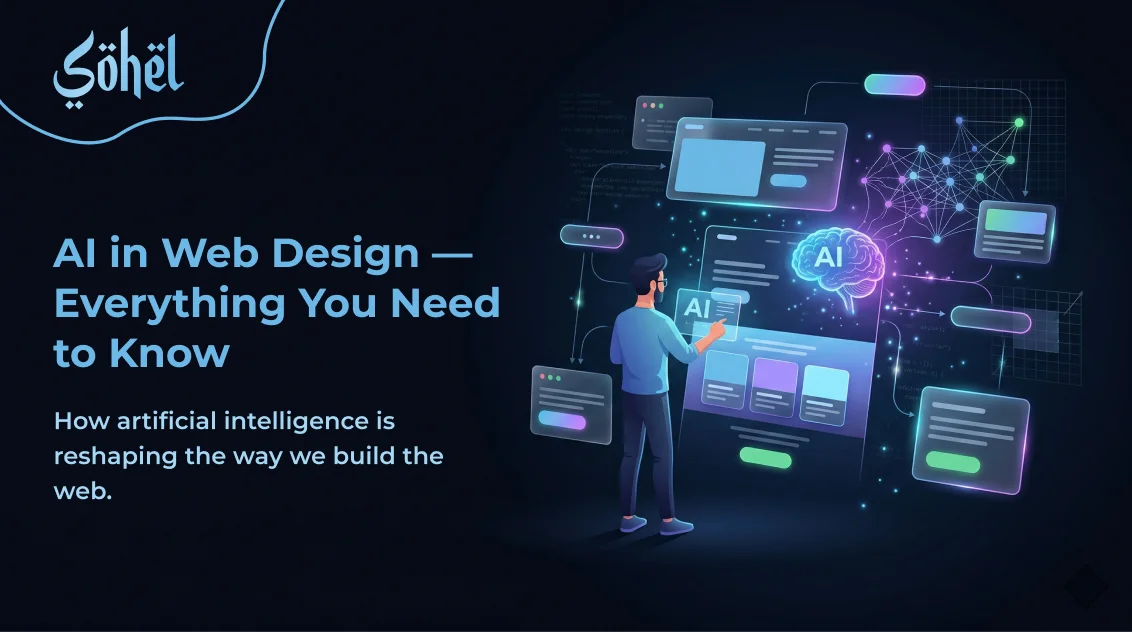
By 2026, AI has shifted from being a nice-to-have enhancement to the actual backbone of how modern websites are built. It's not about replacing designers — it's about changing what designers spend their time on. If you're still treating AI as optional, this guide is for you. Let's break down exactly what's happening, what tools are worth your attention, and what still requires that human touch.
What Is AI-Powered Web Design, Really?
At its core, AI-powered web design uses machine learning, data analytics, and automation to make design decisions that used to require hours of manual work. We're talking about tools that can generate full layouts from a short text prompt, pick color schemes based on your brand, predict how users will behave on your site, and continuously optimize for engagement — all without you touching a line of code.
Platforms like Wix ADI and Framer AI can generate complete websites from a brief description. Figma AI assists with layout suggestions and content placement in real time. These aren't just templates with a new coat of paint — they're genuinely intelligent systems that learn from data.
Think of modern AI-powered websites as living systems. They're not launched and left alone. They continuously optimize themselves based on how real users interact with them.
The Core Technologies Powering It All
Before you can understand the tools, it helps to understand what's running underneath them. Here are the key technologies at play:
Machine Learning
Allows systems to learn from data and improve over time — without being explicitly programmed for every situation. The more users interact with your site, the smarter it gets.
Natural Language Processing
This is what lets you type "build me a portfolio site with a dark theme and a contact form" and actually get a usable result. NLP bridges the gap between human language and machine output.
Computer Vision
Helps AI analyze and interpret visual content — images, layouts, color distributions. Tools use this to auto-adjust image formats, resolutions, and visual hierarchy.
Deep Learning & Data Analytics
Layered neural networks help AI understand complex design patterns, while data analytics continuously reads user behavior to anticipate what visitors want before they know it themselves.
These technologies don't work in isolation — the best AI design tools combine all of them into seamless, intuitive workflows that feel almost like working with a very fast, very knowledgeable design partner.

How AI Is Transforming Real Workflows
Here's where things get genuinely exciting — and a little humbling if you've spent years perfecting manual workflows. AI has fundamentally changed how websites go from idea to launch.
Automated Layout Generation
Remember staring at a blank canvas not knowing where to start? That problem is largely solved now. Elementor AI generates professional, responsive layouts in seconds from a simple prompt or web reference. Figma Make builds polished UI — hero sections, contact forms, pricing tables — from plain language descriptions alone.
Wix's AI website creator takes it further by turning a business description into a fully functional site through a conversational interface — complete with scheduling, online stores, and event management added automatically. TeleportHQ goes straight to production-ready HTML and CSS with modular sections you can edit or regenerate on demand.
These aren't rough drafts you throw away. They're structured starting points that already match your brand context — and they save hours of early-stage work.
Real-Time Personalization
This one changed how I think about websites altogether. Real-time personalization means your website shows different content to different visitors based on their browsing history, demographics, device, location, and even time of day — automatically.
📊 Why This Matters
- →74% of consumers feel frustrated when website content isn't personalized
- →71% of consumers expect companies to deliver personalized interactions
- →AI-enhanced UX strategies increase conversion rates by 106–133% through personalized recommendations
Adobe Marketo updates messaging, content, and CTAs in real time using behavioral signals — predicting and inserting the content with the highest conversion probability for each unique visitor.
Continuous Testing Without Lifting a Finger
A/B testing used to mean setting up a test, waiting weeks for data, analyzing results manually, and then implementing changes. Now? ABtesting.ai uses GPT-3 to generate automated text suggestions for headlines, copy, and calls to action — then tests multiple variables simultaneously until statistical significance is reached.
Fibr AI's experimentation agent MAX runs multivariate tests and generates ranked hypotheses with projected conversion lift estimates. It tells you exactly what to change, why, and how much impact to expect. That's a level of insight that used to require a dedicated CRO team.
AI Tools Worth Knowing in 2026
There are a lot of tools out there making big promises. Here are the ones actually delivering results across different parts of the workflow:
Design Platforms — Wix AI, Figma AI, Canva Magic Studio, Uizard
Generate full sites and UI components from prompts. Figma AI handles smart background removal and responsive scaling. Uizard converts hand-drawn sketches into editable mockups and generates attention heatmaps to predict where users will look.
Code Generation — GitHub Copilot, v0 by Vercel, Cursor
GitHub Copilot provides real-time code suggestions across multiple languages. v0 converts Figma frames directly into React components. Cursor handles backend APIs and legacy codebase modernization with AI-assisted refactoring.
Analytics & Performance — New Relic AI, Contentsquare
New Relic tracks AI model response time, quality, and infrastructure in real time. Contentsquare combines traditional analytics with behavior analysis, heatmaps, and session replays for a complete picture of how users experience your site.
Security & Compliance — Protect AI Suite
Includes Guardian for model security, Recon for red teaming, and Layer for runtime monitoring. AI governance platforms also enforce GDPR, HIPAA, and ISO 27001 compliance across your entire data pipeline.

The Numbers That Make the Business Case
If you're still on the fence about investing time into AI tools, the data is hard to argue with.
| Metric | Traditional Approach | With AI |
|---|---|---|
| Development Speed | Baseline | Up to 55% faster |
| Team Productivity | Baseline | 39% increase reported |
| 5-Year Build Cost | $422K – $1.6M | $76K – $152K |
| Operational Costs | Baseline | 15–40% reduction |
| Testing Costs | Baseline | Nearly 30% lower |
| Conversion Rate (UX) | Baseline | 106–133% increase |
One more worth noting: when page load time goes from 1 to just 3 seconds, bounce probability jumps 32%. AI performance optimization tools address these friction points automatically, without you having to audit every page manually.
AI UI/UX Design: What Good Actually Looks Like
Designing AI-enabled interfaces isn't just about plugging in a tool and hoping for the best. There are real principles that separate good AI-powered UX from frustrating experiences.
AI should be able to explain how it arrived at its output — in plain language. Users need to trust the tool without needing a data science degree to understand it. If the AI can't explain itself, that's a design failure.
When AI reaches the edge of its knowledge, it needs to communicate that clearly. Overconfident AI that guesses rather than admitting uncertainty creates real problems — especially in high-stakes design decisions.
Errors — whether from the system or user — need clear, helpful messages that guide people forward without friction or frustration. Vague error states kill trust instantly.
AI interfaces must prioritize voice recognition, text resizing, color adjustment, and alternative image text. Personalization without accessibility isn't good UX — it's just exclusion dressed up nicely.
What AI Still Can't Do (And Probably Won't For a While)
I want to be clear about this — because a lot of the AI hype skips over the real limitations, and that's how people end up with disappointing results.
🎭 Brand Nuance & Storytelling
AI can generate content, but it struggles with the emotional depth that makes a brand feel genuinely human. Generic outputs lack personality — and visitors can feel that immediately.
🧠 Strategic Thinking
AI is excellent at execution but can't replace the strategic judgment that comes from understanding a business's unique goals, competitive landscape, and long-term vision.
🔐 Code Quality & Security
AI-generated code isn't always clean or secure. It needs human review — especially for production environments where vulnerabilities could cause real damage.
⚖️ Bias & Ethics
Algorithms trained on biased data can produce discriminatory outcomes. AI privacy tools may also turn user data into training data. Privacy by Design means embedding protection from the start — not patching it later.
The most effective AI-assisted websites aren't fully automated — they're built by people who know how to use AI as a collaborator, not a replacement.

Where Does This Leave You?
If you take one thing from this post, let it be this: AI web design tools are not here to take your job. They're here to take the parts of your job that were never the best use of your time in the first place — repetitive layout work, manual testing, cookie-cutter code — and hand them back to you as hours you can spend on the things that actually require a human mind.
The designers and developers who will thrive in 2026 and beyond aren't the ones who resist AI, and they're not the ones who blindly hand everything over to it either. They're the ones who understand what AI does well, where it falls short, and how to combine both to build something genuinely great.
Start experimenting if you haven't already. Pick one tool — Figma AI, GitHub Copilot, or even just an AI layout generator — and spend a week integrating it into your real workflow. The learning curve is smaller than you think, and the productivity gains are real.
Ready to upgrade?
Let's build your AI-ready website
From performance optimization to chatbot integration — get a website that works as hard as you do, 24/7.
Start a Project →
Professional Web Designer and WordPress Developer from Gujarat, India. Helping brands grow online through clean, fast, and conversion-focused websites.
View Profile