Figma has been the dominant web design tool since it dethroned Sketch. But the Figma of 2026 barely resembles the tool designers adopted back then. Following its AI feature rollout, Figma now ships with an AI layer woven through nearly every part of the design workflow: wireframing, layout generation, design system management, and code handoff. For professional web designers, using these features is the difference between winning and losing client projects on timeline and budget.
This pairs perfectly with the trend of AI-assisted development — Figma AI on the design side, AI coding tools on the build side. Together they compress the entire design-to-launch timeline dramatically.
Figma AI Make Designs: From Prompt to Layout
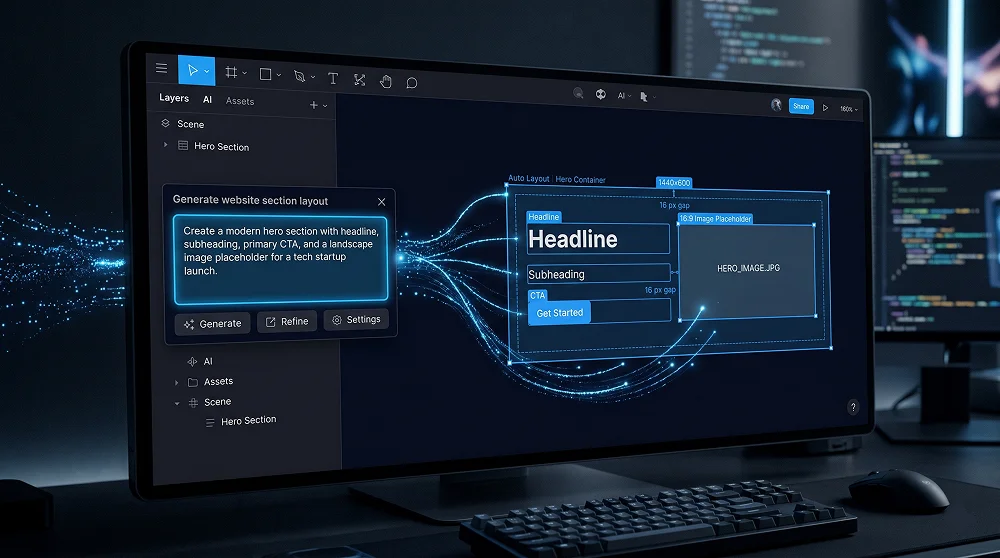
Make Designs is Figma's flagship AI feature. Select a frame, type a description, and Figma generates a complete layout with placeholder content and proper Auto Layout structure. It is not a replacement for design thinking — outputs are starting points. But as a wireframing and ideation tool, it compresses what used to be a 2-hour rough layout session into 10 minutes of prompt iteration.
How to Get the Best Outputs
- Specify the section type — "hero", "features grid", "pricing table". The more specific, the more relevant the output.
- Include layout direction — "two-column", "centered", "left text right image". Layout descriptions produce more predictable structures.
- Generate 3–4 variations — Always generate multiple outputs and cherry-pick the strongest structural elements from each.
Dev Mode AI Annotations and Tailwind Suggestions
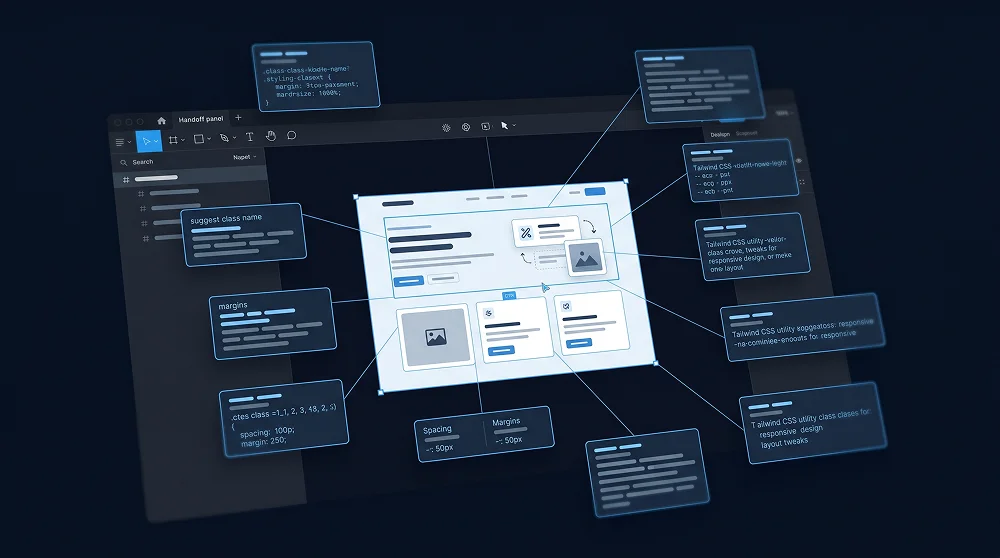
Figma's Dev Mode in 2026 ships with AI-generated code annotations including Tailwind utility class suggestions for individual elements. For developers using Tailwind CSS v4, this is incredibly valuable — Dev Mode can suggest the exact Tailwind classes that match your Figma design's spacing, colours, and typography tokens.
| Figma AI Feature | Time Saved Per Project | Best Used For |
|---|---|---|
| Make Designs | 2–4 hours (wireframing) | Initial layout ideation and rapid prototyping |
| Auto Layout AI suggestions | 1–2 hours (structuring) | Cleaning up unstructured imported designs |
| Component Suggestions | 2–3 hours (system setup) | Building design systems from existing designs |
| AI Content Replacement | 1 hour (presentation prep) | Client presentations and stakeholder reviews |
| Dev Mode Annotations | 2–4 hours (dev handoff) | Reducing developer clarification questions |
Designing Micro-Animations in Prototype Mode
Figma's Prototype mode lets you define interaction triggers and animation curves before a single line of code is written. This is where you map out your micro-animations — button hover lifts, scroll-triggered reveals, form state confirmations — using Smart Animate between component states. Clients can preview the exact feel of interactions before development begins.
The New Figma AI Workflow for Client Projects
- Brief → Make Designs — Generate 3–4 rough layouts per section. Cherry-pick the best structure. (30 min instead of 2 hours)
- Apply brand tokens via Variables — Use AI token generation then adjust to client colours and fonts. (20 min instead of 1 hour)
- Refine + add interactions — Use Prototype mode + AI content replacement for a presentation-ready mockup. (1 hour polish)
- Hand off via Dev Mode — With AI annotations active, developers have everything without a lengthy call. (15 min handoff)

Need a Custom Figma Design for Your Website?
I design professional, conversion-focused websites in Figma — fully structured, component-ready, and developer-handoff optimised.
Get a Design Quote
Professional Web Designer and WordPress Developer from Gujarat, India. Helping brands grow online through clean, fast, and conversion-focused websites.
View Profile