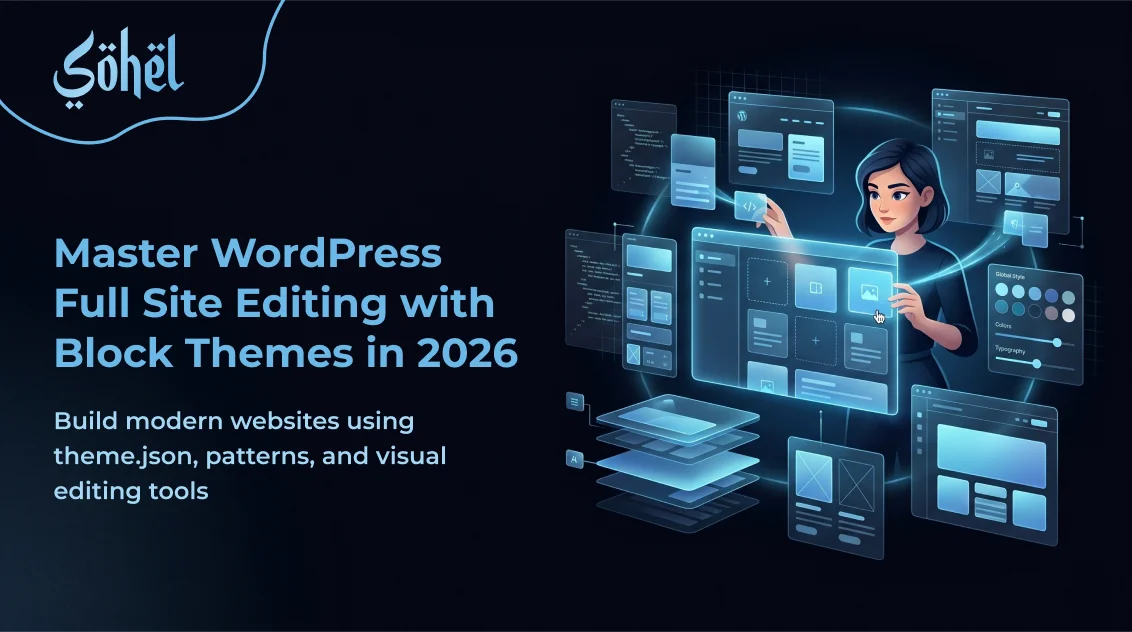
For almost two decades, building a custom WordPress theme meant the same ritual: header.php, footer.php, functions.php, a maze of template tags, and a prayer that your hooks fired in the right order. That era is officially over. WordPress Full Site Editing (FSE) — stabilized across versions 6.3 through 6.7 — has fundamentally changed how WordPress themes are architected, designed, and delivered to clients.
In 2026, block themes are not a niche experiment. They are the official, recommended way to build WordPress sites — endorsed by Automattic, adopted by major managed hosting platforms, and required knowledge for any developer who wants to stay relevant. This guide covers everything: what FSE actually is, how block themes differ from classic PHP themes, what theme.json unlocks, how Synced Patterns replace ACF-based repeaters, and whether FSE is production-ready for your next client project.
What Is WordPress Full Site Editing?
Full Site Editing is the umbrella term for a set of WordPress features that extend the Gutenberg block editor beyond post and page content into every part of the website. Before FSE, the block editor only controlled the content area. The header, footer, sidebar, archive templates — all of that was locked inside PHP template files that required code to modify. FSE removes that wall entirely.
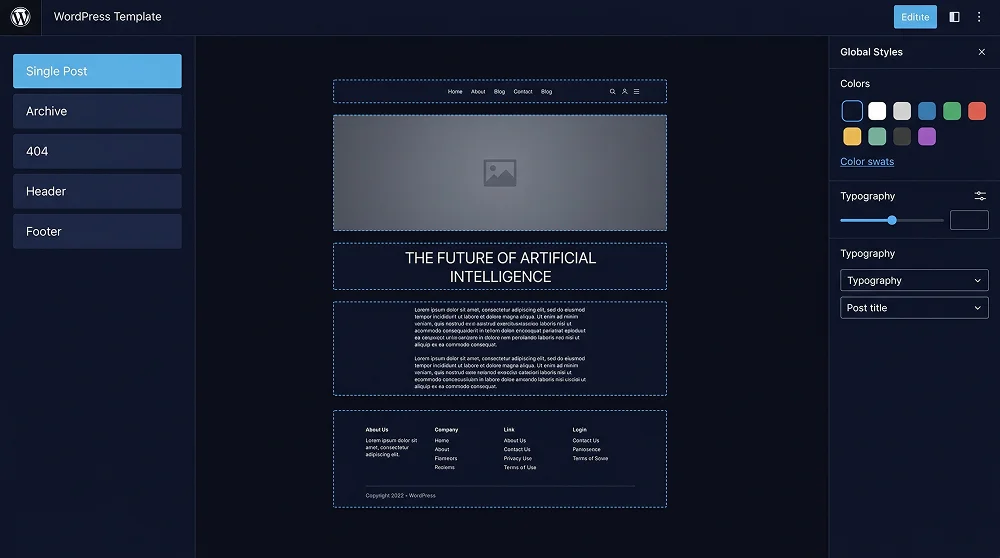
With a block theme active, WordPress gains a new interface: Appearance → Editor — the Site Editor. A full-canvas visual environment where you build and modify every template your site uses: single posts, archive pages, the 404 template, the homepage, search results, and every WooCommerce template. Every layout change is stored as block markup — serialized HTML comment syntax — with zero PHP involved in rendering any visual layout.
The Four Core Pillars of FSE
- Block Themes — Theme files using
.htmltemplates instead of.phpfiles, structured entirely around Gutenberg block markup. - theme.json — A declarative JSON config that defines the full design token system: colours, typography, spacing, layout widths, and per-block settings.
- The Site Editor — A visual canvas for editing templates, template parts (header/footer), navigation menus, and Global Styles.
- Block Patterns & Synced Patterns — Pre-built block sections insertable anywhere; when synced, a single edit updates every instance across the site.
FSE vs Classic Themes: The Real Differences
Classic WordPress themes are PHP-driven. They use template files (header.php, single.php, archive.php), template tags, and action/filter hooks. Any visual change to site structure requires editing PHP or installing a page builder. Block themes replace the entire PHP template layer. Visual layouts live in .html files inside templates/, written in Gutenberg block markup — not PHP. The Site Editor reads and writes these files directly. No build process. No server restarts.
The critical point: block themes are not Elementor inside WordPress. They add no wrapper soup, no bloated JS. A Group block with a Heading and Paragraph renders as a <div>, an <h2>, and a <p>. Nothing more. The block editor is a content authoring interface — not a visual page builder with its own rendering engine layered on top of WordPress core.
| Feature | Classic Theme (PHP) | Block Theme (FSE) |
|---|---|---|
| Header / Footer editing | Edit PHP files directly | Visual Site Editor, zero code |
| Template customisation | PHP files + hooks | HTML block templates + Site Editor |
| Design tokens | CSS variables, manually coded | theme.json — auto CSS custom props |
| Page builder needed? | Usually yes (Elementor, Divi) | No — blocks are the builder |
| Front-end JS payload | 400KB+ with page builders | ~8KB Interactivity API |
| PHP knowledge required? | Yes, for any layout change | No — HTML + JSON is enough |
| Client editing UX | Depends on page builder | Consistent native Site Editor |
Block Theme File Structure Explained
A valid block theme needs very few files. At minimum: a style.css with the theme header comment, a theme.json for design config, and an index.html inside templates/. Everything else is progressive enhancement added as the project requires it.
my-block-theme/
├── style.css              ← Theme header (name, version, author)
├── theme.json             ← Design tokens + block settings
├── functions.php          ← Optional: enqueue scripts, register features
├── screenshot.png         ← Theme preview (1200×900px)
├── templates/
│   ├── index.html         ← Default / fallback template (required)
│   ├── single.html        ← Single blog post
│   ├── page.html          ← Static pages
│   ├── archive.html       ← Category / tag archive
│   ├── search.html        ← Search results
│   ├── 404.html           ← Page not found
│   └── front-page.html    ← Custom homepage
└── parts/
    ├── header.html        ← Site header (logo + nav)
    └── footer.html        ← Site footer
The templates/ files contain only block markup. Here is a minimal but fully functional single.html — a complete single-post template with no PHP whatsoever:
<!-- wp:template-part {"slug":"header","tagName":"header"} /-->
<main>
  <!-- wp:post-featured-image {"aspectRatio":"16/9"} /-->
  <!-- wp:post-title {"level":1} /-->
  <!-- wp:post-meta /-->
  <!-- wp:post-content /-->
</main>
<!-- wp:template-part {"slug":"footer","tagName":"footer"} /-->
theme.json: The Design Token System
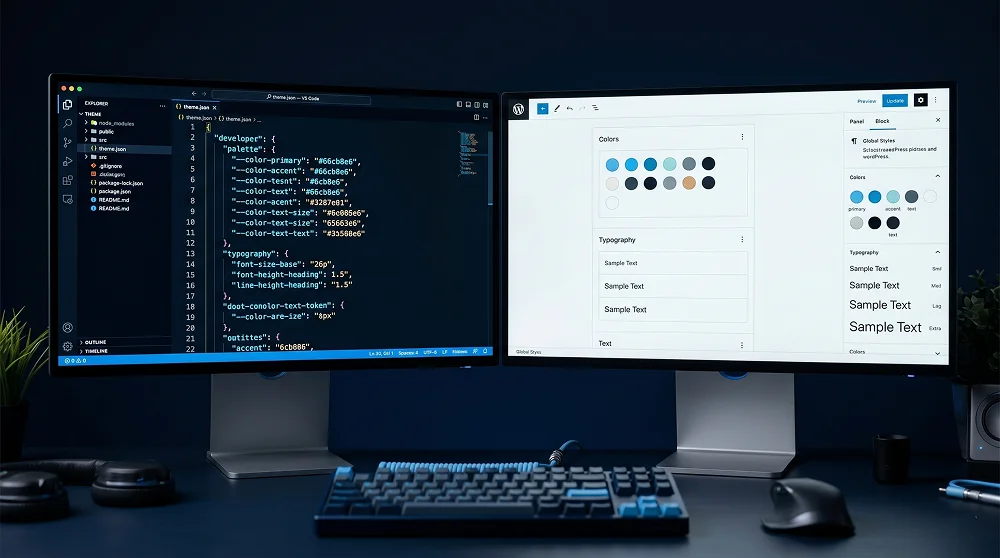
theme.json replaces a scattered collection of PHP add_theme_support() calls with a single declarative JSON configuration. Every colour, font, spacing value, and block setting defined here is automatically exposed in the Site Editor's Global Styles panel AND compiled into CSS custom properties — sitewide, with zero build step required.
This is the same design token pattern used by Tailwind CSS and Figma — but baked natively into WordPress. A colour with slug primary becomes --wp--preset--color--primary. A font size with slug display becomes --wp--preset--font-size--display. Your entire design system in one JSON file, automatically available to every block on the site.
What theme.json Controls
- Colour Palettes — Define brand colours as named tokens. Set
defaultPalette: falseso clients only ever see your palette. - Fluid Typography Scale — Define a
clamp()-based type scale. Display headings scale smoothly from mobile to desktop with no media query breakpoints. - Spacing System — A named spacing scale used for block padding, margin, and gap — referenced by slug, not magic pixel values.
- Layout Widths — Set
contentSize(e.g. 720px) andwideSize(e.g. 1200px) that all blocks respect automatically. - Per-Block Overrides — Give buttons a pill border-radius, quotes an italic serif font — all without writing a CSS file.
- Locked Settings — Disable custom colours, gradient pickers, and custom font sizes. A constrained editor means fewer mistakes and zero support calls.
{
  "$schema": "https://schemas.wp.org/trunk/theme.json",
  "version": 3,
  "settings": {
    "color": {
      "defaultPalette": false,
      "palette": [
        { "name": "Primary", "slug": "primary", "color": "#6cb8e6" },
        { "name": "Accent",  "slug": "accent",  "color": "#e63946" },
        { "name": "Dark",    "slug": "dark",    "color": "#0a0e1a" },
        { "name": "Navy",    "slug": "navy",    "color": "#0d2b45" }
      ]
    },
    "typography": {
      "defaultFontSizes": false,
      "fontFamilies": [
        { "name": "Syne",    "slug": "syne",    "fontFamily": "'Syne', sans-serif" },
        { "name": "DM Sans", "slug": "dm-sans", "fontFamily": "'DM Sans', sans-serif" }
      ],
      "fontSizes": [
        { "name": "Small",   "slug": "sm",      "size": "0.875rem" },
        { "name": "Base",    "slug": "base",    "size": "1rem" },
        { "name": "Large",   "slug": "lg",      "size": "1.25rem" },
        { "name": "Display", "slug": "display", "size": "clamp(2.5rem,5vw,4rem)" }
      ]
    },
    "layout": { "contentSize": "720px", "wideSize": "1200px" }
  },
  "styles": {
    "color": { "background": "var(--wp--preset--color--dark)", "text": "#e2e8f0" },
    "elements": {
      "h1": { "typography": { "fontFamily": "var(--wp--preset--font-family--syne)", "fontWeight": "800" } },
      "h2": { "typography": { "fontFamily": "var(--wp--preset--font-family--syne)", "fontWeight": "700" } },
      "link": { "color": { "text": "var(--wp--preset--color--primary)" } }
    }
  }
}
Global Styles API: One Source of Design Truth
Every value in theme.json becomes a CSS custom property sitewide. WordPress auto-generates variables like --wp--preset--color--primary and --wp--preset--font-size--display. These cascade correctly — change a token value once and every block using it updates everywhere. No duplicated CSS. No searching through multiple stylesheets.
With theme.json version 3 in 2026, the Global Styles API supports style variations — multiple complete design presets shipped with a single theme. A dark mode and a light mode, a high-contrast accessibility variant, a seasonal rebrand — all selectable from the Site Editor's Style Book. One codebase, multiple brand configurations, zero CSS file editing required by the client.
Global Styles Feature Cards
Colour Token System
Define brand colours once. Every block's colour picker shows only your palette — no accidental off-brand choices by clients.
Fluid Typography
A clamp()-based type scale that scales smoothly across all viewports with no media query overrides needed.
Style Variations
Ship dark/light mode presets. Users toggle the entire site aesthetic from the Style Book — one theme, multiple looks.
Locked Settings
Disable gradient pickers, custom colours, and font size overrides. A constrained editor means fewer client mistakes.
The Template Editor: Visual Layout Without PHP
Under Appearance → Editor → Templates, every WordPress template is editable as a block layout in the browser. Drag in a Query Loop block to display posts, a Site Title block for your logo, a Navigation block for your menu, a Template Part block for the footer. No PHP. No child theme. No custom hooks — just blocks on a visual canvas.
For client project delivery, the power lies in locked templates. Set a lock attribute on blocks to prevent clients from deleting the navigation or repositioning the logo. Pair this with a constrained theme.json palette and custom block patterns — and you hand off a WordPress site that's flexible enough for content updates but bulletproof against accidental layout breaks.
| Block | Purpose in Templates | Classic PHP Equivalent |
|---|---|---|
| Template Part | Embed reusable header / footer parts | get_header() / get_footer() |
| Query Loop | Display post lists with custom query | WP_Query + the_loop() |
| Post Title | Output current post title | the_title() |
| Post Featured Image | Render featured image with aspect ratio | the_post_thumbnail() |
| Post Content | Output the full post body | the_content() |
| Navigation | Render registered menu | wp_nav_menu() |
Block Patterns and Synced Patterns in 2026
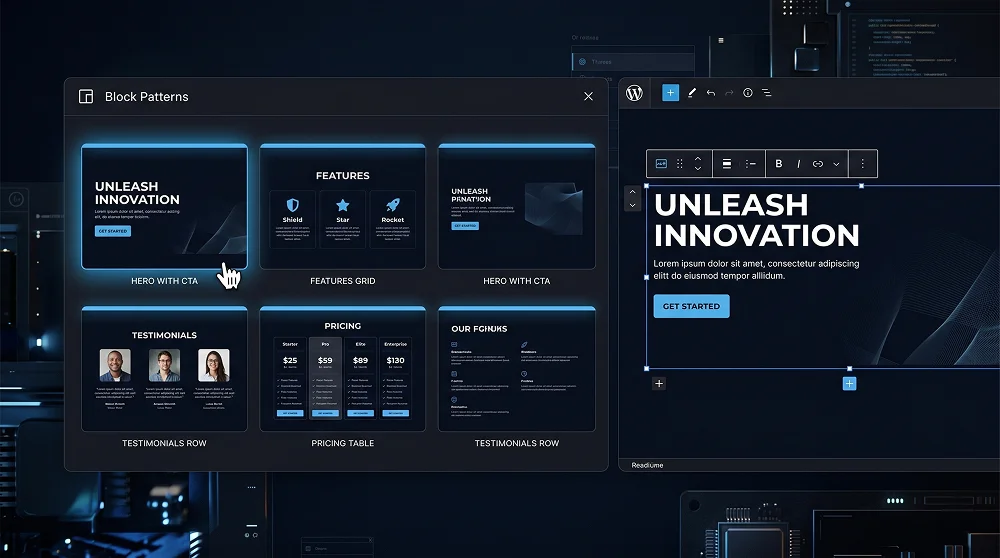
Block patterns are pre-built block arrangements — a hero section, a features grid, a testimonials row, a pricing table — insertable anywhere via the Inserter panel. They're the FSE equivalent of starter sections in Elementor or Divi. WordPress 6.4+ auto-registers any .php file inside the theme's /patterns/ folder — no manual register_block_pattern() call required.
Synced Patterns (stable since WordPress 6.3) take this further. A synced pattern is stored once in the database and rendered wherever inserted. Edit the pattern once from the Patterns section in the Site Editor — and every instance across the site updates instantly. This is the native FSE replacement for ACF flexible layouts and Elementor global widgets — zero plugin dependency.
Patterns Strategy for Client Projects
- Regular patterns for page layouts — Hero sections, about sections, service grids. Clients insert them as editable starting points for new pages.
- Synced patterns for global components — CTAs, promotional banners, contact info, announcement bars. Edit once, update everywhere.
- Ship 5–10 patterns minimum — Give clients a pattern library covering all common page section types so they can build new pages confidently without breaking design.
FSE for Developers: Custom Blocks and the Interactivity API
FSE does not mean surrendering developer control — it shifts control from PHP hooks to block APIs. You still register custom post types, add REST endpoints, and enqueue scripts. But UI components now live as custom blocks built with the @wordpress/blocks package. The official create-block CLI scaffolds a complete block with webpack, SCSS, and ESLint in seconds.
npx @wordpress/create-block@latest my-hero-block
cd my-hero-block && npm start
The Interactivity API — stable since WordPress 6.5 — handles front-end reactivity without shipping React to the browser. Declare reactive state with data-wp-interactive HTML attributes and a small JSON context. The server renders full HTML; the client hydrates only interactive parts. Accordion toggles, tabs, dropdown menus, live search — all achievable with the ~10KB runtime. No jQuery. No heavy framework. Just fast, accessible, progressively enhanced interactions built into WordPress core.
Developer Toolkit for FSE in 2026
- @wordpress/create-block — Official CLI to scaffold custom blocks with full dev tooling instantly.
- Interactivity API — Lightweight reactive front-end layer in WordPress core. Zero external JS dependencies.
- Block Variations & Filters — Extend core blocks without forking. Add a custom animation select to
core/imagein under 20 lines. - @wordpress/env (wp-env) — Docker-based local WordPress environment for block development. Zero MAMP/XAMPP setup.
- Block Locking API — Lock blocks in templates so clients cannot move, delete, or duplicate them. Deliver bulletproof layouts.
Performance: FSE Block Themes vs Page Builders
Performance is where FSE genuinely wins. A standard Elementor site ships 400–800KB of JavaScript before your theme's scripts load. A stock Divi install makes hundreds of HTTP requests. A clean block theme renders with almost no JavaScript on the front end — the Interactivity API adds ~10KB for reactive components. That's the entire front-end JS budget for a fully interactive FSE site.
| Metric | Elementor (Typical) | Lean Block Theme (FSE) |
|---|---|---|
| Front-end JS baseline | 400–800KB | ~8–12KB |
| DOM nodes (typical page) | 1,500–3,000+ | 300–600 |
| HTTP requests (no cache) | 60–120+ | 10–25 |
| Lighthouse Performance | 40–70 (typical) | 90–100 (achievable) |
| Core Web Vitals (LCP) | Needs manual optimisation | Passes out of the box |
Is FSE Production-Ready for Client Projects in 2026?
The short answer is yes — unambiguously. The Site Editor has been stable since WordPress 6.3. The Interactivity API is production-grade since 6.5. WooCommerce's block-based checkout is now the default. Major managed hosts — WP Engine, Kinsta, Flywheel — ship block-theme starter environments. The WordPress Theme Directory now prioritizes block themes in search results. The ecosystem has committed. There's no going back.
That said, FSE is not a magic wand. Complex custom post type architectures still benefit from PHP plugins. Advanced permissions and workflow systems still use functions.php. FSE does not eliminate server-side PHP — it eliminates PHP from the template rendering layer. Your business logic stays in PHP. Your layouts live in blocks.
FSE Client Handoff Checklist
- Lock critical template blocks (navigation, logo, footer) with the Block Locking API
- Set
defaultPalette: falseanddefaultFontSizes: falseintheme.json— clients see only your brand tokens - Register global components (CTAs, banners, contact info) as Synced Patterns for one-click sitewide updates
- Ship 5–10 page layout patterns in
/patterns/so clients build new pages without breaking design - Test the Style Book (Editor → Styles → Style Book) — confirm token system renders correctly across all block types
- Run Lighthouse on the live front end — a clean FSE build should score 90+ Performance with zero page builder plugins
Final Thoughts: FSE Is the WordPress You've Been Waiting For
WordPress Full Site Editing in 2026 is the most significant architectural shift in the platform's history. Block themes replace PHP templates with a visual, JSON-driven system that is faster to build, easier for clients to manage, and better for performance than anything the page builder era delivered. The learning curve is real — but far shorter than mastering the PHP template hierarchy ever was.
If you are building WordPress sites professionally in 2026 and haven't shipped a block theme yet, start today. Build a simple blog theme with Twenty Twenty-Five as a reference. Write a theme.json from scratch. Spend an afternoon in the Site Editor building templates visually. The mental shift from PHP template hierarchies to block markup and JSON tokens takes one or two projects — and then it becomes your default. The developers who make this transition early are the ones who build better sites, faster, with happier clients and cleaner codebases.

Professional Web Designer and WordPress Developer from Gujarat, India. Helping brands grow online through clean, fast, and conversion-focused websites.
View Profile